Why DeepORG01A complete agent
Ask it. Let it act. Leave it watching.
DeepORG is one agent, not a kit of parts. Ask it in plain words and it finds the right tables, has the database do the work, and answers with the data behind it. It can propose a change and wait for your yes, and it can keep a question running after you have left.
Built-in agent
Use DeepORG as the agent.
Send one plain-English instruction to one endpoint. DeepORG returns the answer, the data behind it, and evidence from what ran.
curl -sS localhost:8083/api/v1/agent \
  -H 'content-type: application/json' \
-d '{"instruction": "What should we prioritize next?"}'{
"status": "answered",
"answer": "Start the Northstar run — priority 1, largest volume.",
"data": [
{ "product": "Northstar Blend 340g", "bags": 420 }
],
"evidence": {
"protocol": {
"executions": [{ "has_data": true }]
}
}
}
Every reply carries a status, so the caller never has to guess what happened:
- answered. The answer, its data and its evidence.
- needs_clarification. The question could mean more than one thing, and it says which.
- needs_approval. A change is ready and waiting for a person. Nothing has changed yet.
- blocked. It will not do this, with the reason and what would unblock it.
- error. Something failed, and it says what.
Ask for Accept: text/event-stream and the same endpoint streams each step as it happens, then the result.
Conversations
A lead that holds the thread. A worker that fetches the facts.
In a conversation there are two agents. The lead reads the thread’s history, works out what is being asked, and sends self-contained questions to a data agent. The data agent is meant to run on a small, fast model: it searches the map, writes the query and has the database compute the result. Questions the lead sends together run in parallel.
The lead never computes a total itself. It asks, and the database answers.
- Threads. A conversation is kept, so a follow-up means what it would mean to a person.
- Skills. A named, reusable instruction you write once: how your team reads a renewal, what a weekly review covers.
- Memories. A preference or fact it should carry forward. A memory is a standing preference, never evidence.
- Follow-ups. It can schedule one later turn for itself: check again in four hours and say what changed.
It acts
A change is proposed, not performed.
Ask it to close a ticket or correct a record and, by default, it does not change your data itself. It writes the change, DeepORG rehearses it inside a transaction that is rolled back, and you are shown one line to read, the exact query, and the rows it would touch. It runs once, as you, after you approve that exact version.
Your rules, your approval covers the whole flow, including the rules that let it act alone within limits you set.
It keeps watch
Some questions should not need asking twice.
- Watches. Leave a question running. It is answered again on database polls, not model calls, and it speaks up when the answer changes or when something expected never arrives.
- Routines. A watch that wakes the agent. When the data changes, the lead looks into it and can propose a change, which is held for the watch’s owner.
- Tasks. A goal that stays open until the data says it is done. On close, DeepORG runs a saved query as the task’s owner and records what the data actually said.
- Workflows. Reviewed procedures the agent can run instead of improvising a multi-step action.
The story of one standing question, from silence to an approval, is on the watch page.
Built-in Web UI
Your DeepORG setup, visible.
Every DeepORG server includes a first-party console. Ask the agent, inspect source health and discovery coverage, review security posture, run GraphQL, and follow tasks and watches, without deploying another service.
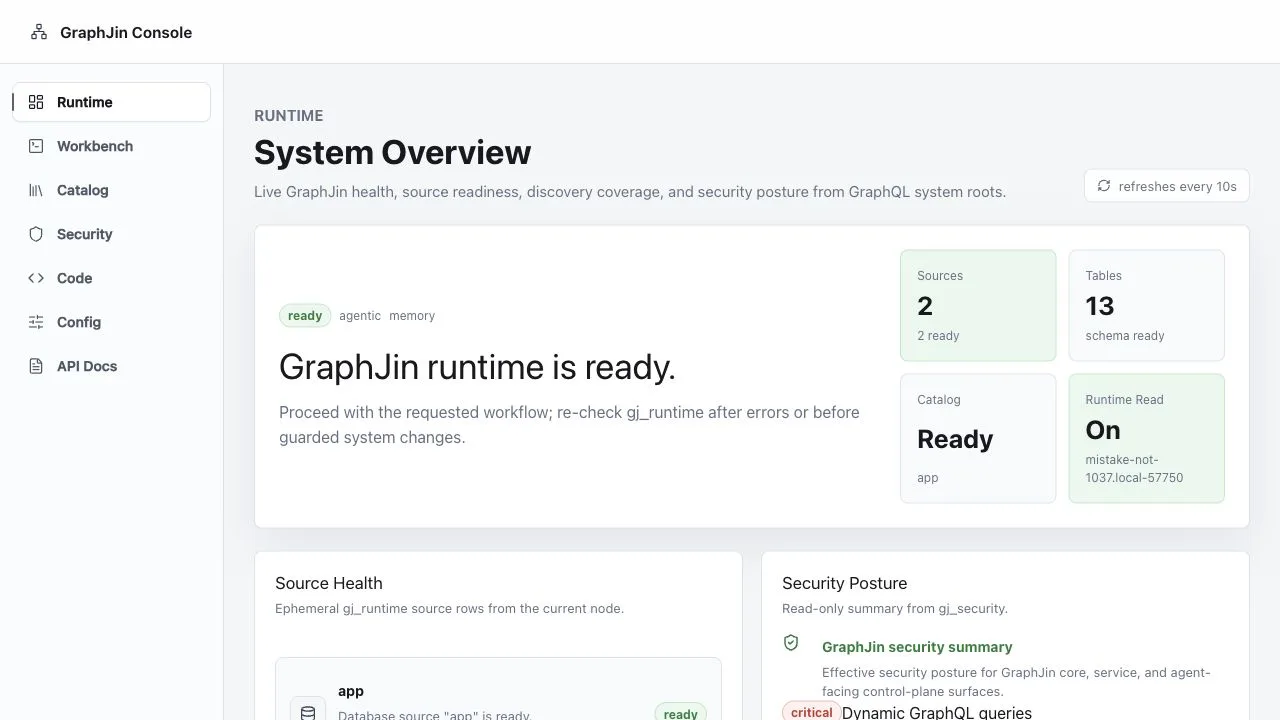
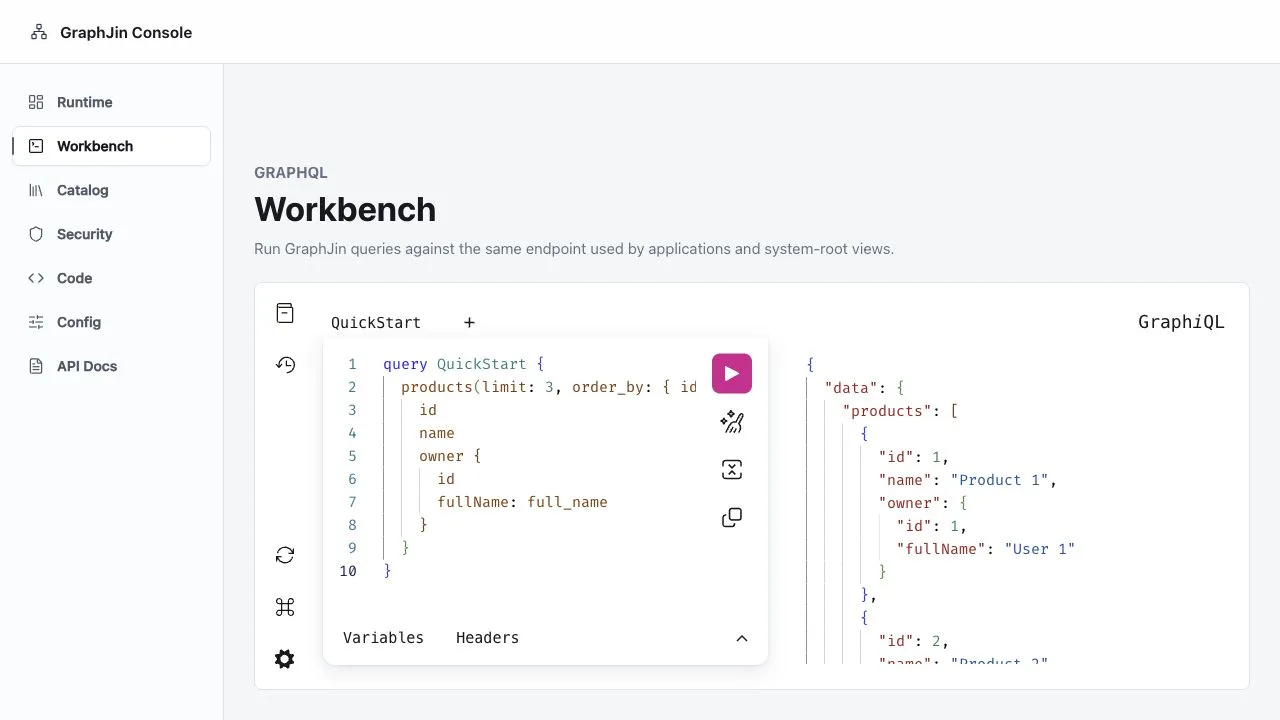
Bring your own agent
Set it up by talking to it.
One command connects Claude Code or Codex to DeepORG. After that you can stop editing config files. Ask for a new database connection, or a role that only ever sees its own customers’ rows, and DeepORG makes the change. It tries the change against your real database first, so a bad idea fails in the chat instead of in production.
# One command. Nothing to start, no Docker, no config file.
claude mcp add graphjin -- graphjin mcp --demo

# Already running DeepORG? Point at it instead.
graphjin mcp add claude http://localhost:8083no databases yet · roles: anon, usertried it first -> staging connected · 34 tables found · no problemssaved to dev.yml · running now, no restartwhat it wrote to dev.yml
databases:
  staging_pg:
    type: postgres
    host: ${PG_HOST}
roles:
  - name: support
    tables:
      - name: customers
        query:
          columns: [id, name, plan, created_at]
filters: ["{ account_id: { eq: $account_id } }"]Tried against the real database before anything changed
Staging is connected. Support can read customers without the email column, and only their own account’s rows. I didn’t touch your login settings—those are off-limits to me, so the JWT secret is still yours to set.
- It tries the change before making it. DeepORG connects to the database and reads the real schema to check your request would actually work. If it would not, nothing changes and you find out in the chat.
- It cannot touch your secrets. Passwords, API keys and login settings are off-limits no matter who asks. A database you marked read-only stays read-only, even if the agent tries to change that.
- Only while you are building. This works on your machine. On a live server the door is shut, and it cannot be opened by asking.
Over MCP your IDE’s own model does the reasoning, so the first command needs no model key. A new project exposes nine tools in total and the shipped demos seven. That is the whole surface, not one tool for each table.
Models
Bring the model you already pay for.
Put a key in ./.env and the demo picks it up: OPENAI_API_KEY, ANTHROPIC_API_KEY or GOOGLE_API_KEY. Any OpenAI-compatible endpoint works too, so vLLM, Ollama, OpenRouter, Together, LM Studio and Groq are all options.
The agent’s actions are short programs it writes, so what matters is a model that writes code well. Native function calling is not required.
The public benchmark shows how each model we have tested does on the same exam, including cost and latency.
In the docs
Go deeper.
- How the agent works: the endpoint, statuses, guards and model configuration.
- Conversations: the lead, threads, skills, memories and follow-ups.
- Watches and tasks.
- Workflows and Mission Control.
- MCP for Claude, Codex and other clients, and MCP OAuth for hosted servers.